

What a service user is
A service user is a machine identity: an account for a script, CI job, dbt run, or AI agent, rather than a person. Like a member, it holds roles; its access is the union of whatever roles you assign it, exactly like a person’s. Unlike a member, it authenticates with an API key instead of a password or SSO.Creating a service user
Go to Settings → Service users and give it a name (for exampleci-pipeline). Platform
administrators can also create and manage service users for any tenant from the admin console’s own
Service users page. You need the Members · create privilege; a service user is governed exactly
like a member for this purpose.
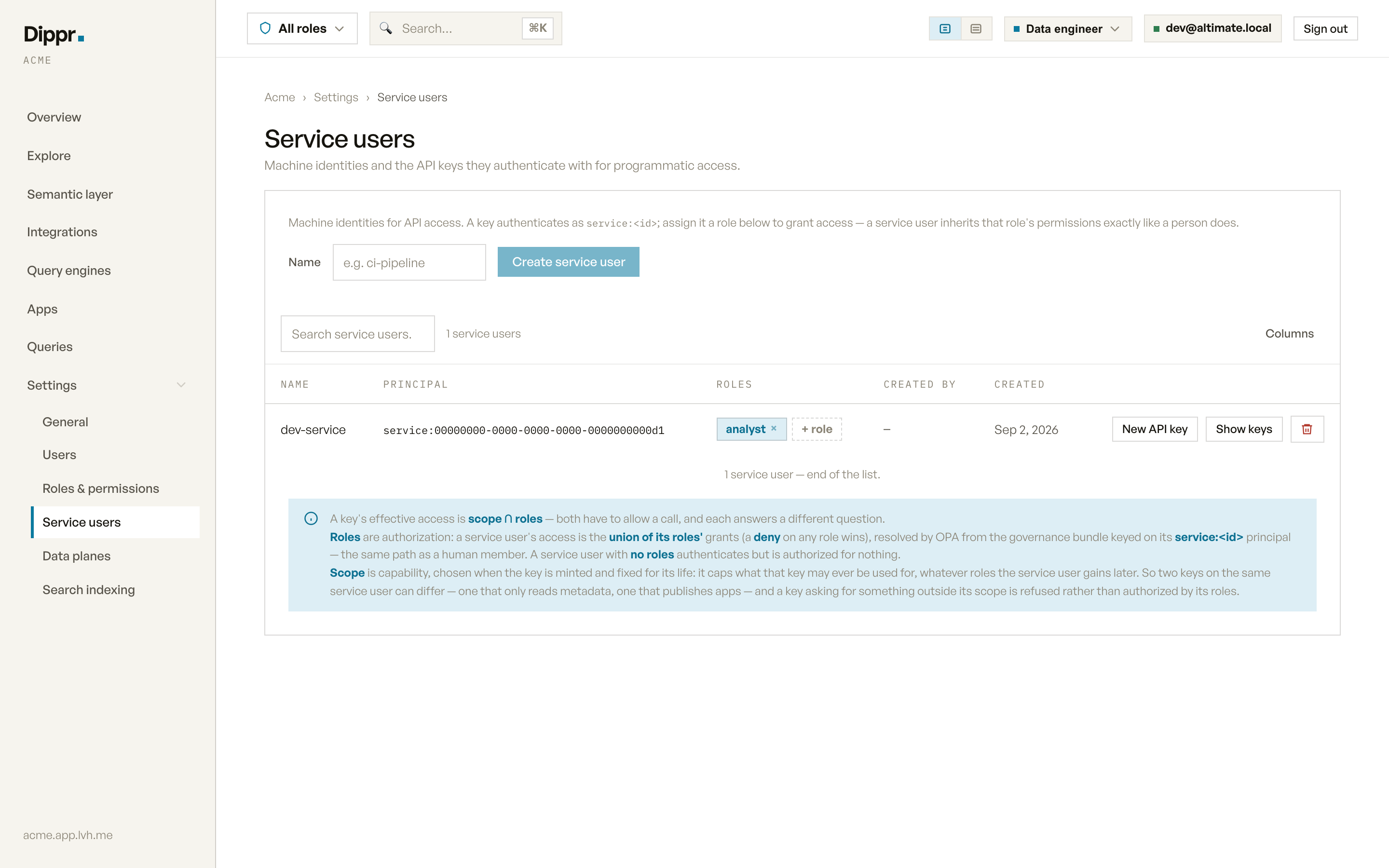
Settings › Service users: the Create service user form and the service users table.
Minting an API key
Click New API key on a service user’s row. Before the key is created, you choose which capabilities it may use. A key is refused rather than defaulting to everything if you pick none.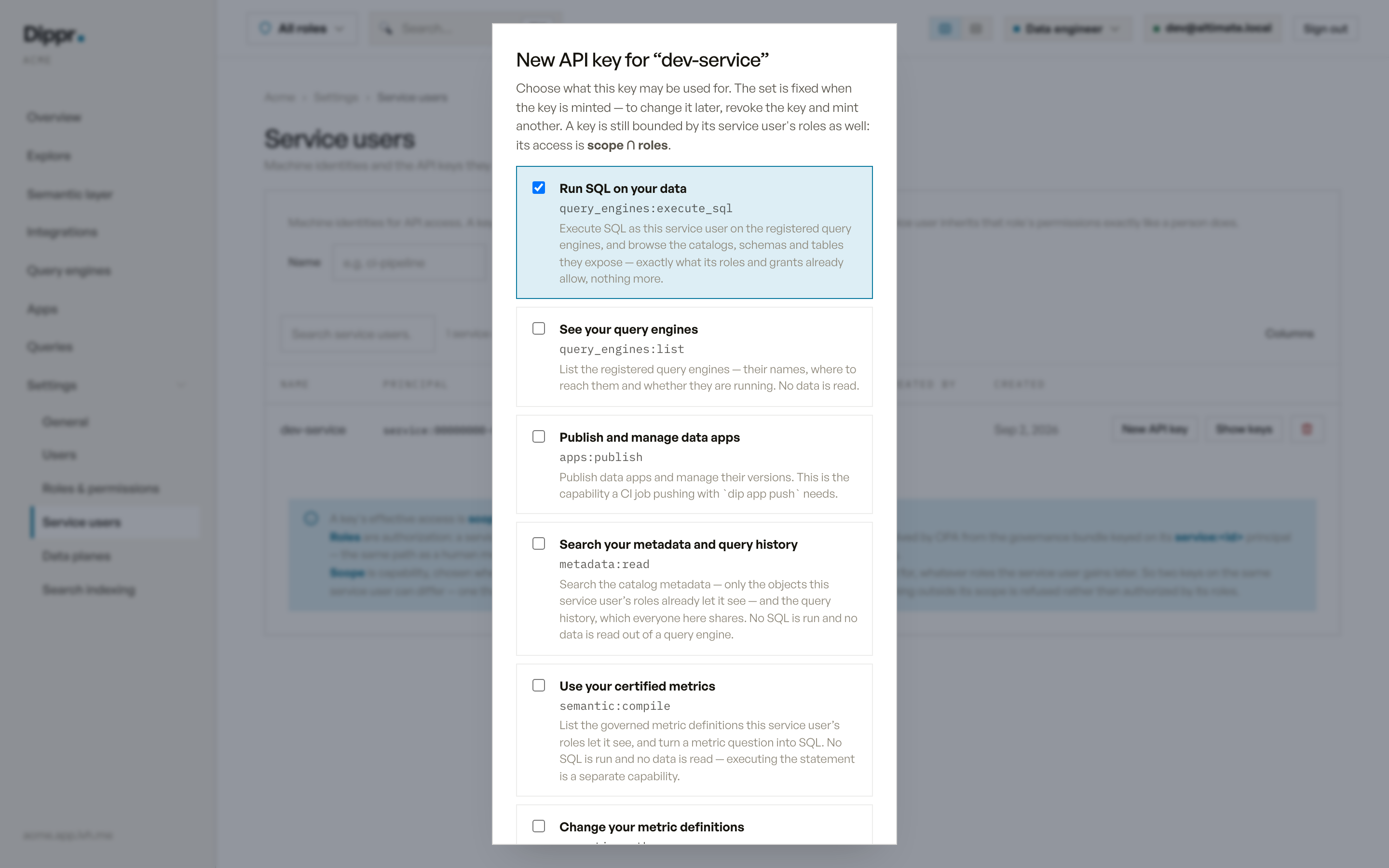
The New API key dialog: each capability is a checkbox with its scope name and what it allows.
apps:install is not a key capability and never appears in the minting table. No service-user key,
even one with broad app permissions, can install an app. Use your human dip login and explicitly
confirm the selected app’s access and code trust. Keys with apps:publish continue to publish.
Ticking a capability that implies another shows you what else it grants, since some capabilities
carry others with them silently otherwise.
Using the key
Every key starts withalt_. Present it as a bearer token, or with the X-API-Key header:
Authorization header
X-API-Key header
apps:publish still can’t push if its service user holds no role that
grants app authoring; assign the service user data_engineer for that, since that’s the built-in role
that authors data apps. A key can never do more than its capabilities allow, whatever roles the
service user gains later. Capabilities are fixed for the life of the key.
You can only grant a key a capability you could exercise yourself. A workspace administrator may
mint a key with any capability; a non-admin member can mint only the capabilities their own role
allows. For example, apps:publish requires permission to create apps or update all apps in the
tenant. A role that grants only updates to one app does not qualify. A data_engineer (or an
administrator) can mint a key holding it, but an analyst or viewer cannot. If you switch to a
narrower role, the capabilities you can mint narrow to match it. Denies from every role you hold,
including inherited roles, still apply; selecting another role cannot remove a deny to mint a
capability. The minting dialog refuses a
capability outside your reach rather than issuing a key you could not have used, so this never widens
what a delegated member can hand out.
Keys minted before capabilities existed
Keys created before this capability picker existed were once grandfathered in — authorized by their service user’s roles alone, with no per-capability limit. That grandfather clause has been retired: any such key has been revoked, so it no longer authorizes anything. If an old integration stops working, mint it a new key with only the capabilities it actually needs.Reviewing over-privileged service users
A service user marked ⚠ review has roles that exceed what its creator can currently grant, usually because the person who created it was later removed or had a role revoked. Review its roles, reduce them, re-key it, or delete it.Revoking a key
Expand Show keys on a service user’s row and click Revoke next to the key. The revoked key is refused within a few seconds by engines and data apps; console requests check it every time. Revoking a key can’t be undone.Client-credentials OAuth for engines
Some machine callers connect to your query engine directly with an OAuth client-credentials grant instead of an API key. See Query engine OAuth for that flow.documents:write requires a person’s consent and cannot be granted to an API key. Documents uploads
run as that person, into folders they may add to.