

.duckdb file itself).
Register a cloud credential
From Integrations, choose Register integration and select AWS, Azure, or Google Cloud. Withdip integration create, the kind is aws, azure or gcp.
- AWS
- Azure
- Google Cloud
Role assumption runs against real AWS STS using your data plane’s own ambient identity, so an S3 endpoint override doesn’t apply there — it’s forbidden alongside
iam_role.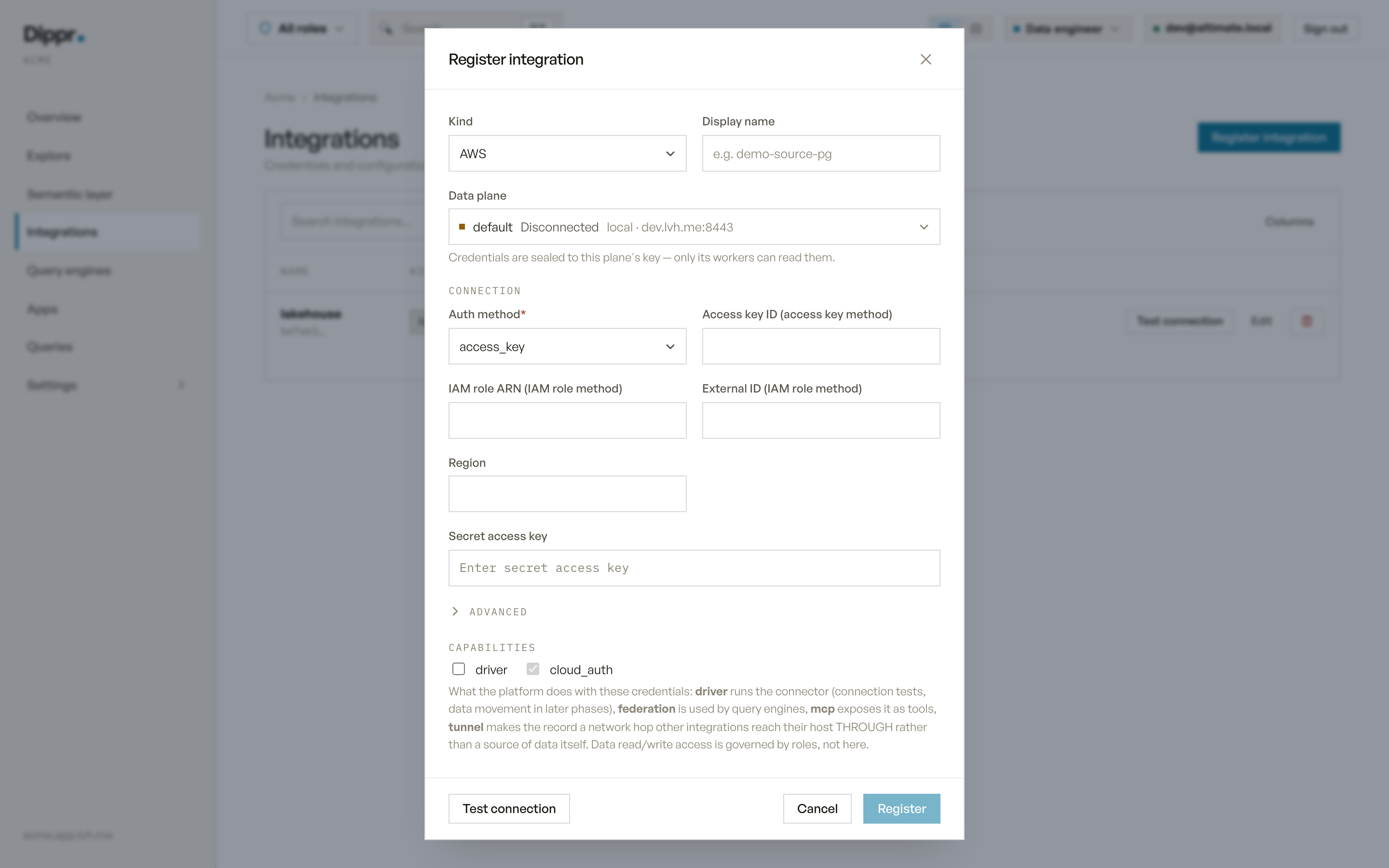
The Register integration dialog with kind AWS selected: the auth method select and its dependent fields.
Least privilege
Grant only what the consuming integration needs to read: for an Iceberg or DuckDB source, that’s read access to the specific bucket, container, or prefix the files live in — never broader account access. An IAM role or a narrowly scopedservice_principal credential is safer than a long-lived access key with the same reach, which is why iam_role / workload_identity are offered alongside the key-based methods on every cloud.
Test connection
Each cloud kind asks the narrowest possible question — proving the credential authenticates, not that it can do anything in particular:Referenced, not standalone
A cloud credential integration is only useful once another integration’s Cloud auth integration field points at it. Two consequences follow directly from that:- You can’t delete a cloud credential integration while an Iceberg or DuckDB integration still references it — delete or repoint the referrer first.
- You can’t move a referenced cloud credential integration to a different data plane while it’s still referenced, because the reference itself is scoped to one data plane.
Equivalent dip command
Register an AWS credential
Troubleshooting
Related
Iceberg REST catalog
Connect a catalog that can reference this credential for object-store access.
DuckDB
Attach a
.duckdb file that reads through this credential.