

Before you start
- The catalog’s REST endpoint URI.
- If the catalog requires authentication: either its own in-catalog OAuth client credentials, or an external OAuth token endpoint (used by catalogs fronted by an outside identity provider).
- If your tables’ underlying files need their own storage credential rather than the catalog vending one: a cloud credential integration for the cloud that holds them.
Register the integration
From Integrations, choose Register integration and select Iceberg REST catalog.
Capabilities available for this kind: driver, federation (required). Unlike the other source kinds, federation is what’s required here — a catalog provider your engines can’t federate from has no reason to be registered at all.
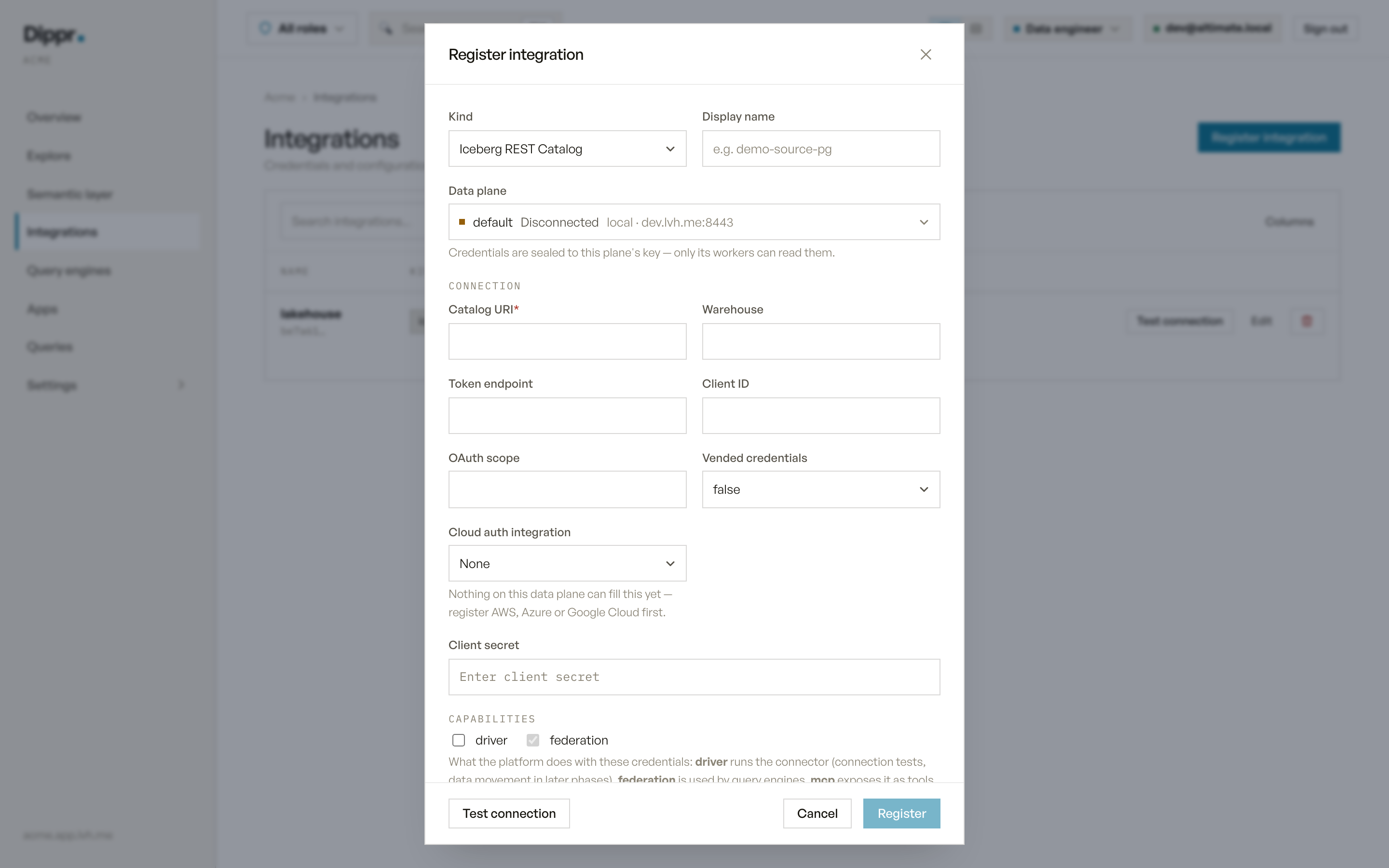
The Register integration dialog with kind Iceberg REST Catalog selected.
Test connection
Calls the catalog’sv1/config endpoint (fetching an OAuth token first, if a client ID is configured):
- If no warehouse is set, a successful config response is proof enough that the catalog is reachable and authenticated.
- If a warehouse is set, the probe goes one step further and lists that warehouse’s namespaces — proving your credentials carry catalog-level access, not just authentication.
401/403reports an authentication or authorization failure.- A
400naming your specific warehouse means the catalog rejected it — check the name.
In Explore
Once a query engine applies this integration, it appears as a catalog named after the integration’s display name (lowercased, non-alphanumeric characters collapsed to underscores; a name that collides with another catalog gets a short suffix; see How catalogs are named). Browsing namespaces and tables through the console (as distinct from querying them through the engine) isn’t available on this connector today.Limitations
- Schema browsing through this connector isn’t implemented yet; query the catalog through your engine instead.
- No SSH tunnel support: an Iceberg REST catalog is reached by host name over HTTPS, not through a private network path.
- What you can query through the engine is governed by your own roles and grants, not by this record.
Equivalent dip command
Register an Iceberg REST catalog
Troubleshooting
Related
Cloud credentials
Register the storage credential this kind references when the catalog doesn’t vend its own.
Test connection and secrets
How Test connection works, and how your credentials are stored.