

Before you start
- A Snowflake user Dippr can log in as, with a default (or explicitly named) warehouse it can use and read access to the database you want to expose.
- Snowflake enforces MFA on human password logins and has removed legacy service accounts, so the credential you register is almost always a
TYPE=SERVICEuser’s programmatic access token (PAT) rather than a human password. A PAT goes in the same Password field — see the note below.
Register the integration
From Integrations, choose Register integration and select Snowflake.The Password field’s label calls out that it accepts a PAT because Snowflake’s modern security posture makes a PAT the realistic value here, not a human password. There’s no separate “PAT” auth method: a PAT authenticates through the same password slot on the wire.
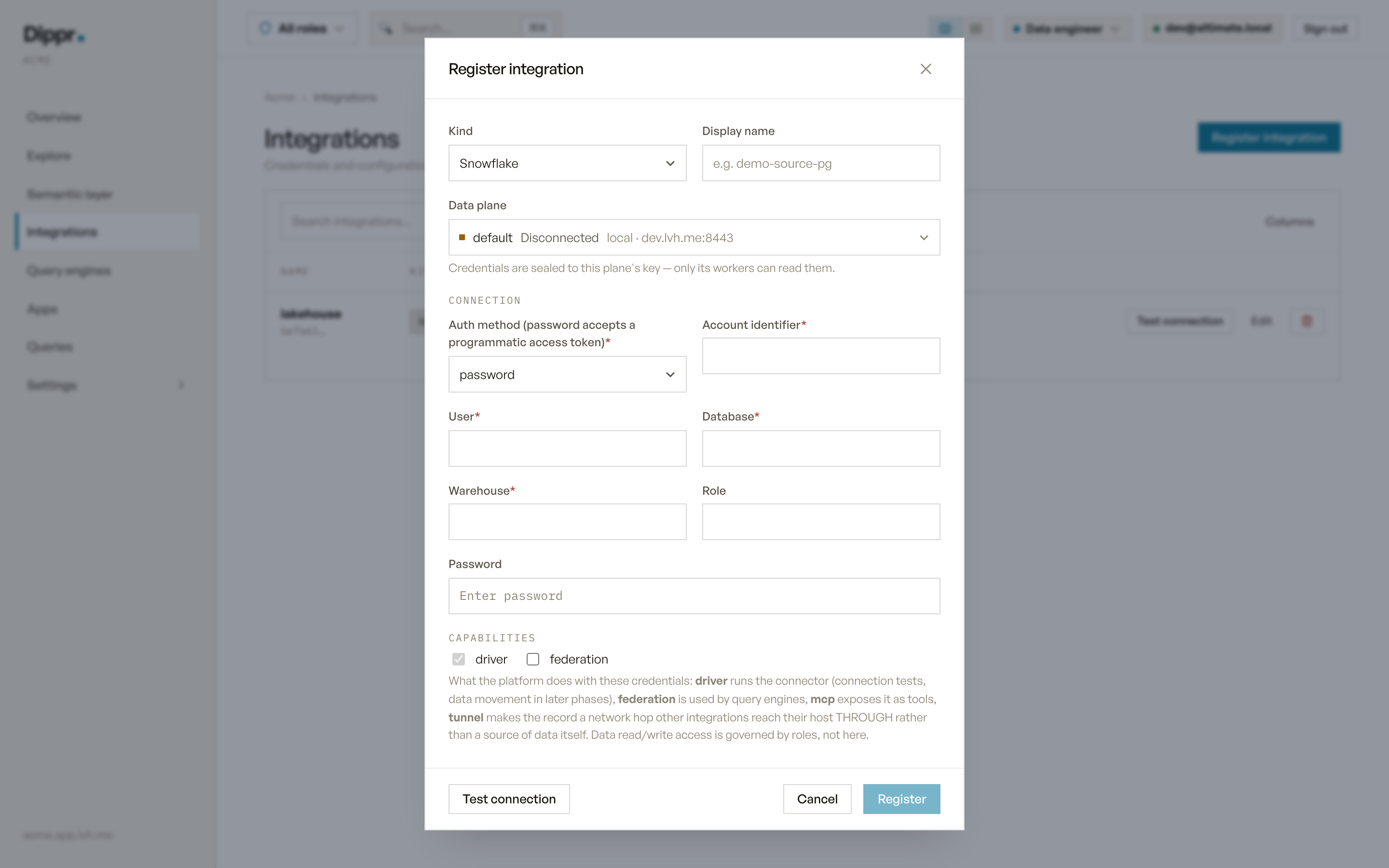
The Register integration dialog with kind Snowflake selected.
Test connection
RunsSELECT CURRENT_VERSION() against the stored (or drafted) credentials and reports Snowflake’s version string on success.
In Explore
Once a query engine applies this integration, it appears as a catalog named after the integration’s display name (lowercased, non-alphanumeric characters collapsed to underscores; a name that collides with another catalog gets a short suffix; see How catalogs are named). Schema discovery lists every schema and table in the configured database exceptINFORMATION_SCHEMA, with column names, types and nullability.
Limitations
- One database per integration — register a second integration to expose another database.
- What you can query or change through the engine is governed by your own roles and grants, not by this record.
Equivalent dip command
Register a Snowflake source
Troubleshooting
Related
Integrations overview
Which sources you can connect, and how a source becomes a catalog.
Test connection and secrets
How Test connection works, and how your credentials are stored.