

Before you start
- Your data plane must be able to reach the database over TCP — a public endpoint, a peered network, or an SSH tunnel to a private one.
- A Postgres user Dippr can log in as. It needs at least
SELECTon the schemas you want to expose (schema discovery readsinformation_schema.columns, excludingpg_catalogandinformation_schema).
Register the integration
From Integrations, choose Register integration and select PostgreSQL.
Capabilities available for this kind: driver (required), federation, and MCP. Federation is what makes the database a catalog on your query engines. MCP is recorded on the integration but not yet wired to any tool: the deployed MCP server ships no per-source tool providers in v1, so selecting it does not expose this Postgres source to agents directly today.
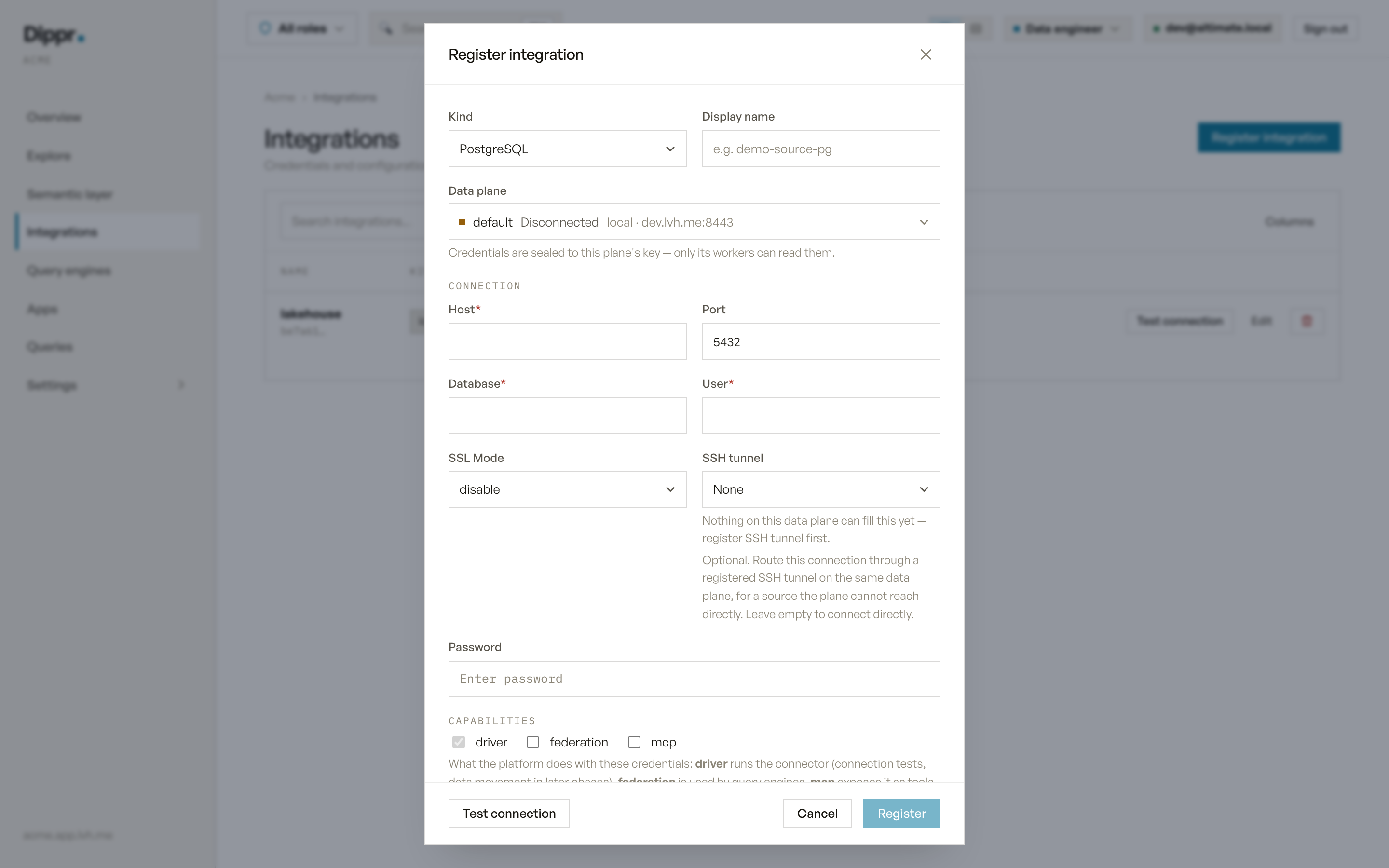
The Register integration dialog with kind PostgreSQL selected.
Test connection
RunsSELECT 1 followed by SELECT version() against the stored (or, before saving, the drafted) credentials and reports the server’s version string on success. A failure reports the driver’s own error — a wrong password, an unreachable host, or a database that doesn’t exist.
In Explore
Once a query engine applies this integration, it appears as a catalog named after the integration’s display name (lowercased, non-alphanumeric characters collapsed to underscores; a name that collides with another catalog gets a short suffix; see How catalogs are named). Every schema and table your Postgres user can read frominformation_schema appears under it, with column names, types and nullability.
Limitations
- Discovery reports schemas and tables only — no row counts, indexes or constraints.
- What you can query or change through the engine is governed by your own roles and grants, not by this record.
Equivalent dip command
Register a Postgres source
Troubleshooting
Related
SSH tunnels
Reach a database sitting behind a bastion, in a private network.
Test connection and secrets
How Test connection works, and how your credentials are stored.